
UCP Playground and UCP Validator launch: test agent commerce before checkout breaks
CanAgentUse UCP Validator checks /.well-known/ucp profiles, while UCP Playground lets teams test product search, carts, checkout state, payment handlers, and handoff links.
Share
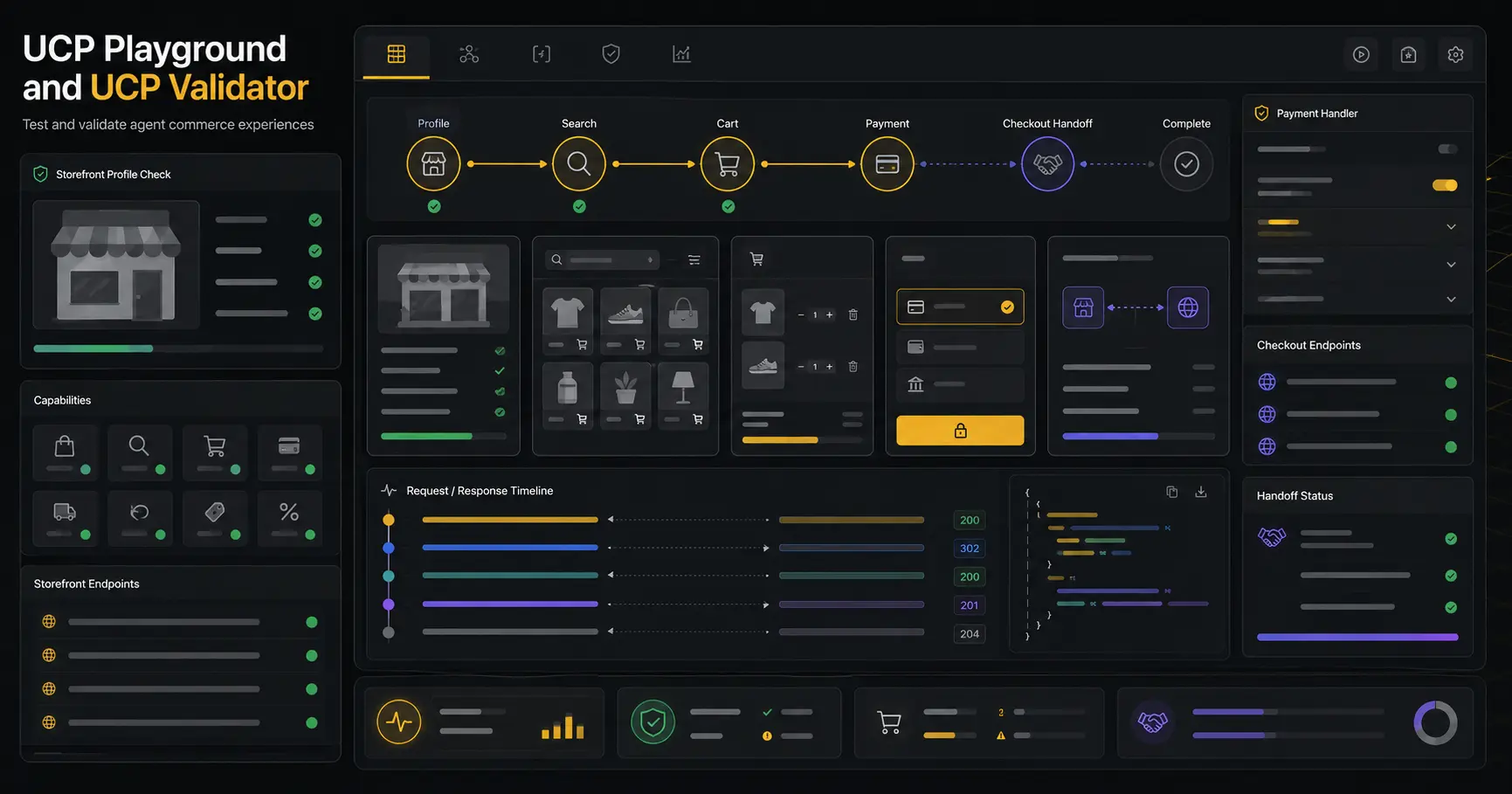
Agent commerce has a nasty failure mode: everything looks fine until checkout. A merchant may publish a Universal Commerce Protocol profile, but the profile can point to the wrong service, omit payment handlers, expose unsafe metadata, or describe cart actions that behave differently once a real request arrives.
CanAgentUse now has two tools for that work. UCP Validator checks the public /.well-known/ucp profile and tells you whether the discovery layer is fit for agents. UCP Playground connects to a UCP storefront and lets you manually test product search, cart updates, checkout state, and merchant handoff links.
They solve different problems. The validator answers "is the profile clear and safe enough to publish?" The playground answers "does the commerce flow work when we actually call it?"
UCP Validator checks Universal Commerce Protocol discovery and profile quality. UCP Playground manually tests UCP commerce flows, including product search, variant-aware carts, checkout calls, payment handlers, state extraction, and merchant continuation links.
Why agent commerce needs both tools
Human checkout pages are built for people. Agents need a more explicit contract: what services exist, which operations are available, how carts work, which payment handlers are supported, and where a buyer should continue when a merchant requires a hosted flow.
The public UCP profile is the starting point. If it is missing, malformed, blocked, or unsafe, the rest of the flow is already shaky. But a valid profile is not the end of testing. Catalog search can still return odd IDs. Cart APIs can replace instead of append. Checkout can return an embedded URL, a hosted URL, a pending state, or an error that does not explain what the agent should do next.
That is why we separated validation from playground testing.
| Tool | Best question |
|---|---|
| UCP Validator | Is /.well-known/ucp present, valid, safe, and useful? |
| UCP Playground | Can a tester run the commerce flow from product search to checkout handoff? |
The split keeps the workflow honest. Fix discovery first. Then test behavior.
What UCP Validator checks
The validator starts with a live website URL or pasted manifest JSON. In live mode, it fetches /.well-known/ucp, records HTTP status, redirects, latency, content type, robots signals, llms.txt signals, and adjacent discovery hints. In JSON mode, it validates the manifest without requiring the profile to be public yet.
It checks the root shape, ucp.version, services, capabilities, payment handlers, supported versions, signing keys, namespace patterns, spec URLs, schema URLs, and common unsafe values. It also flags private hosts, credential-bearing URLs, tokens, private key material, and other metadata that should not ship in a public profile.
The output is meant to be fixable. A merchant team should be able to see whether the profile is missing required fields, using the wrong version shape, blocking agents through robots policy, or advertising payment support without enough public detail.
| Validator area | What it helps catch |
|---|---|
| Discovery | Missing, blocked, redirected, or malformed /.well-known/ucp |
| Manifest shape | Missing root ucp, version, services, or payment handlers |
| Version rules | Older signing-key placement and version-specific expectations |
| Safety | Private endpoints, secrets, raw payment data, private key material |
| Agent reachability | Robots and llms.txt signals that affect agent access |
| Fix guidance | Prioritized issues with practical remediation text |
What UCP Playground tests
The playground starts where the validator stops. Connect a live storefront or paste a UCP profile, add test auth headers when needed, and inspect the commerce tools that the profile exposes.
The interface groups actions by catalog, product detail, cart, payment, checkout, order status, and raw calls. Each action shows the endpoint, method, headers, editable JSON body, response status, latency, response body, warnings, and timeline event.
It also maintains session state. If a response contains a likely product_id, variant_id, cart_id, checkout_session_id, payment_session_id, or order_id, the playground extracts it so you can reuse it in the next call. That sounds small until you are debugging a cart flow with three IDs and two response shapes.
The checkout view is careful about handoff. If the merchant returns an embeddable checkout URL, the playground can show it. If the server returns a hosted continuation URL, the tool shows the state and gives the tester a clear path to continue through the merchant flow.
Use cases
Use the validator before announcing UCP support. It catches the profile mistakes that make agents fail before they ever reach catalog search.
Use the playground during merchant integration. Search for a product, pick a variant, add it to a cart, update quantities, inspect the cart response, and test checkout with the same IDs an agent would carry through the flow.
Use both after a failed agent checkout test. Start with the validator. If discovery and metadata are clean, move to the playground and replay the commerce steps. The timeline usually shows whether the failure came from bad metadata, wrong payload shape, auth, cart replacement behavior, payment state, or checkout handoff.
Use them for QA before a partner demo. Agent commerce demos fail in public when teams test only the happy path. The playground makes the request and response evidence visible before someone tries to narrate around a broken cart.
Limits and safety boundaries
The validator is read-oriented. It does not submit carts, create orders, authenticate as a buyer, scrape private dashboards, or verify payment settlement. Optional probes are meant to be lightweight and safe.
The playground is a manual testing terminal. It can call public HTTP endpoints you choose to test. That means it can affect real merchant systems if you point it at production with real credentials. Use staging stores, test auth, test products, and payment sandbox data when a call can mutate cart, checkout, or order state.
Both tools block private and internal network targets by default. They do not use your browser cookies or logged-in merchant sessions. Auth headers are user supplied for the current session and should be treated like test credentials.
UCP support is still an emerging area. These tools help teams validate and debug their implementation, but they do not certify that every agent, wallet, payment provider, or commerce runtime will support the same behavior.
Cost
Both UCP tools are free to use on CanAgentUse. There is no CanAgentUse charge for validating a profile, connecting to a storefront, or manually testing a UCP flow.
Merchant-side costs can still happen. Playground calls may hit commerce APIs, search infrastructure, inventory systems, payment sandboxes, logging pipelines, or order services. If the server treats your request as billable or state-changing, the cost belongs to the target system.
The main implementation cost is cleanup: making the profile fetchable, removing unsafe metadata, aligning services and capabilities, documenting payment handlers, and making cart and checkout responses clear enough for agents to use.
How the tools fit together
The clean workflow is simple:
| Step | Tool |
|---|---|
| Check whether the profile exists | UCP Validator |
| Fix version, services, capabilities, payment handlers, and safety issues | UCP Validator |
| Connect to the storefront | UCP Playground |
| Search products and select variants | UCP Playground |
| Test cart updates and checkout state | UCP Playground |
| Share evidence with engineering or partners | Both |
Commerce teams do not need another vague readiness score. They need to know what is wrong, what request failed, which ID was extracted, which checkout state came back, and what to fix before agents start using the store.
FAQ
What is the difference between UCP Validator and UCP Playground?
UCP Validator checks discovery and profile quality at /.well-known/ucp. UCP Playground connects to a UCP storefront and lets you manually test catalog, cart, checkout, and handoff calls.
Can the UCP Playground place real orders?
It can call the endpoints you choose to test. If a production endpoint creates orders, then a manual call can affect production. Use staging credentials and sandbox payment data for checkout testing.
Does the validator require credentials?
No. The validator checks public discovery and profile metadata. It does not need checkout credentials.
Are the UCP tools free?
Yes. CanAgentUse does not charge for using the validator or playground. The merchant server, payment sandbox, or upstream commerce systems may still have their own usage costs.
Share