
20 min read
AI agent protocol adoption: we analyzed 8 agents in 2026
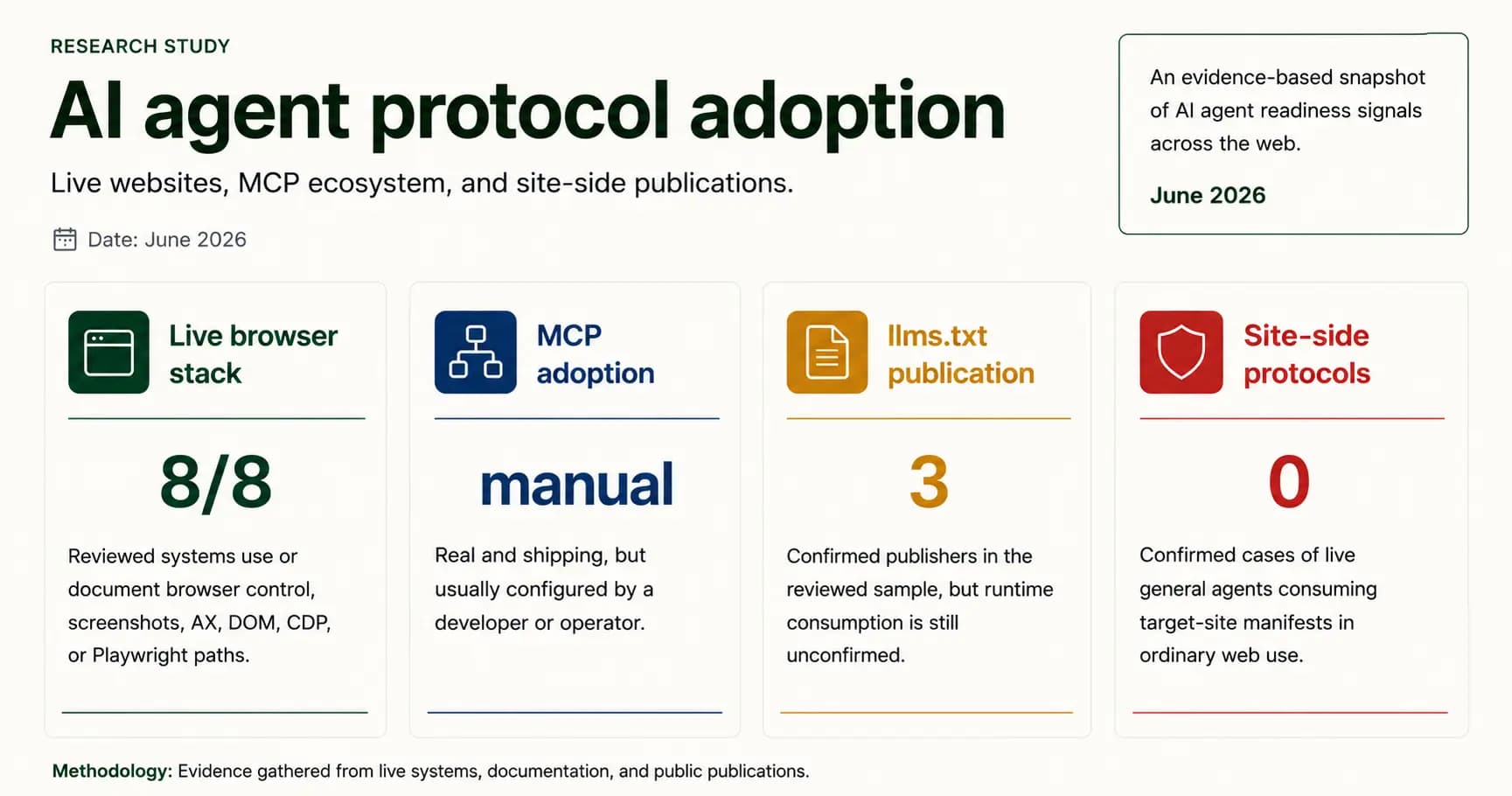
Research across 8 agents found 0 confirmed cases of live web agents using site-side protocols, while browser automation and semantic HTML led adoption in 2026.
Scanner for the agentic web
Run 269 evidence verifications across 41 report checks for crawler policy, structured data, performance, accessibility, API discovery, OAuth, MCP, WebMCP, agent skills, and commerce-readiness signals.
Scanner coverage
The scanner measures whether websites and web apps give AI systems the signals they need to discover public pages, trust crawler policy, understand content, call documented APIs, and complete approved workflows.
Agent reliability
151
Discovery, content, APIs, auth, MCP, commerce
Security & policy
54
Headers, crawler trust, usage and rights policy
GEO, AIO and AEO
18
AI citations, AI Overview, and answer-engine readiness
Technical quality
46
Performance, accessibility, SEO, and Google Agentic Browsing
Latest guides
Research across 8 agents found 0 confirmed cases of live web agents using site-side protocols, while browser automation and semantic HTML led adoption in 2026.
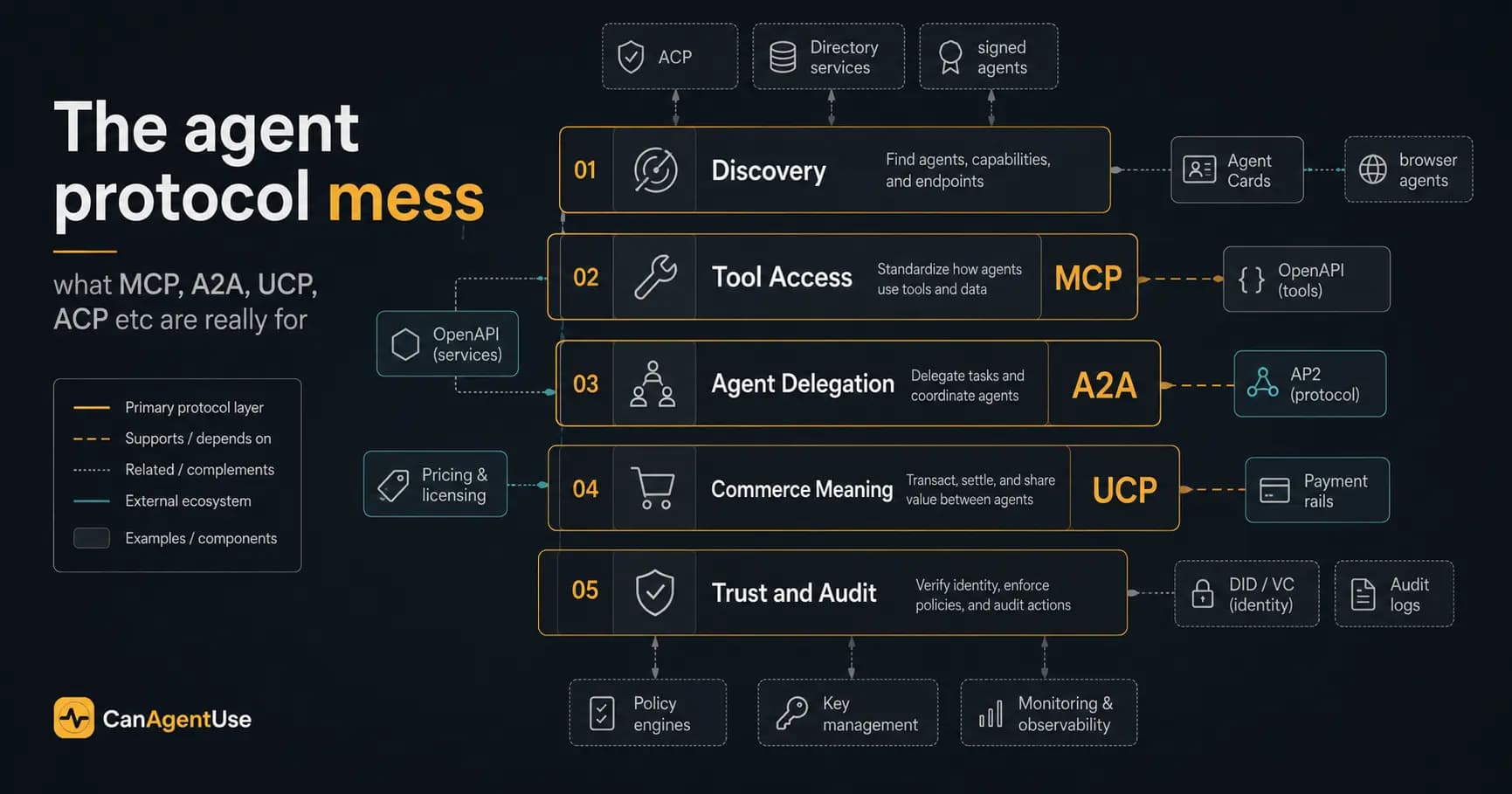
MCP, A2A, UCP, ACP, and nearby agent protocols are easy to confuse. MCP is access, A2A is delegation, and UCP is commerce meaning.
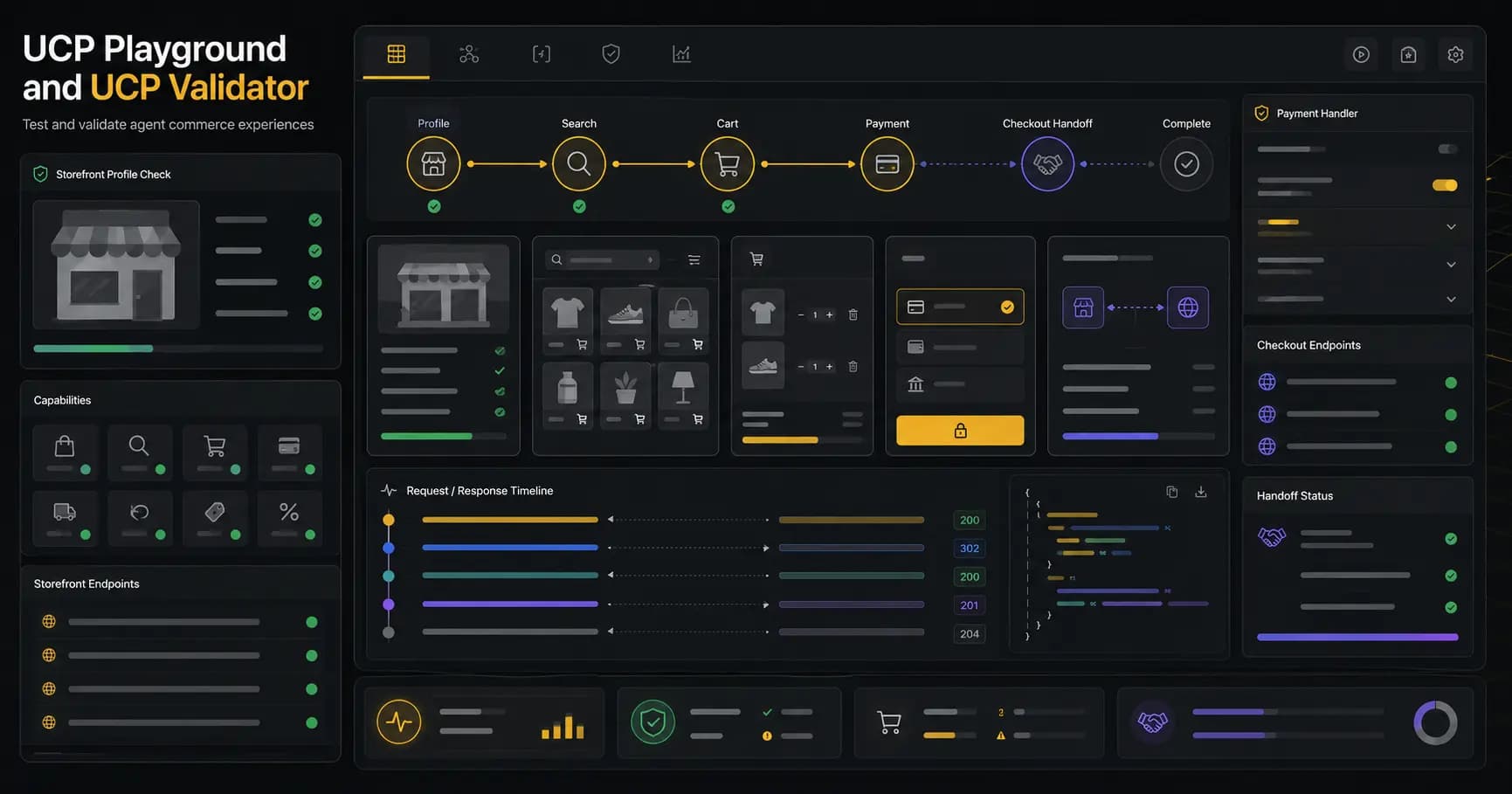
CanAgentUse UCP Validator checks /.well-known/ucp profiles, while UCP Playground lets teams test product search, carts, checkout state, payment handlers, and handoff links.
MCP and CLI
Start with a scan, see exactly what needs fixing, and use the report prompt when you want help rolling out MCP, CLI, or CI/CD support.
Connect CanAgentUse to Codex, Claude Desktop, or Cursor so failed checks turn into direct repair prompts inside your coding workflow.
Run one-off scans, compare environments, and gate regressions from your shell without leaving the repo you are fixing.
Turn the scanner into a release check that compares baseline and preview results before changes reach production.
Connect with us
Send your site and goals. We can review readiness gaps, implementation options, and the right next step before or after you scan.
FAQs
The scanner focuses on the public, machine-readable, technical, and content signals that AI search systems and agents need before they can cite, understand, or use a website reliably.
CanAgentUse checks AI agent readiness, crawler policy, structured data, semantic HTML, performance, accessibility, API catalog, OpenAPI, OAuth/OIDC discovery, protected resource metadata, MCP, WebMCP, A2A, agent skills, Web Bot Auth, AI training policy, and agent commerce signals such as x402, MPP, UCP, and ACP.
No. Robots.txt and llms.txt are only a small part of the scan. The report also evaluates content extraction, AI agent readiness, structured data, API discovery, authentication metadata, MCP and WebMCP surfaces, agent-facing skills, security headers, performance, accessibility, and commerce-readiness metadata.
Yes. It checks API catalog discovery, OpenAPI or Swagger documents, OAuth and OIDC discovery metadata, OAuth Protected Resource metadata, MCP server cards and compatibility metadata, WebMCP manifests, browser tool annotations, A2A agent cards including legacy A2A agent.json aliases, Wildcard-style agents.json, and agent skills indexes.
A report currently covers 41 top-level report checks, 223 nested agent validation steps, 46 browser technical signals, and 310 total scan signals across AI discoverability, AI agent readiness, content readiness, bot access control, API, auth, MCP, skill discovery, security, training policy, agent commerce, performance, accessibility, search metadata, and browser best-practice areas.
You get a scored report with captured screenshots, category scores, failed checks, warnings, evidence, issue details, remediation guidance, references, export options, and prompts that engineering teams can use to fix AI agent readiness gaps.
Growth, product, platform, developer relations, ecommerce, and engineering teams can use CanAgentUse to find gaps that stop AI systems from discovering, citing, understanding, authenticating with, or safely using a website or web application.