
MCP Playground launch: test remote MCP servers before agents depend on them
CanAgentUse MCP Playground helps teams discover, connect to, inspect, and debug remote MCP servers with OAuth, headers, tools, resources, prompts, JSON-RPC, and event timelines.
Share
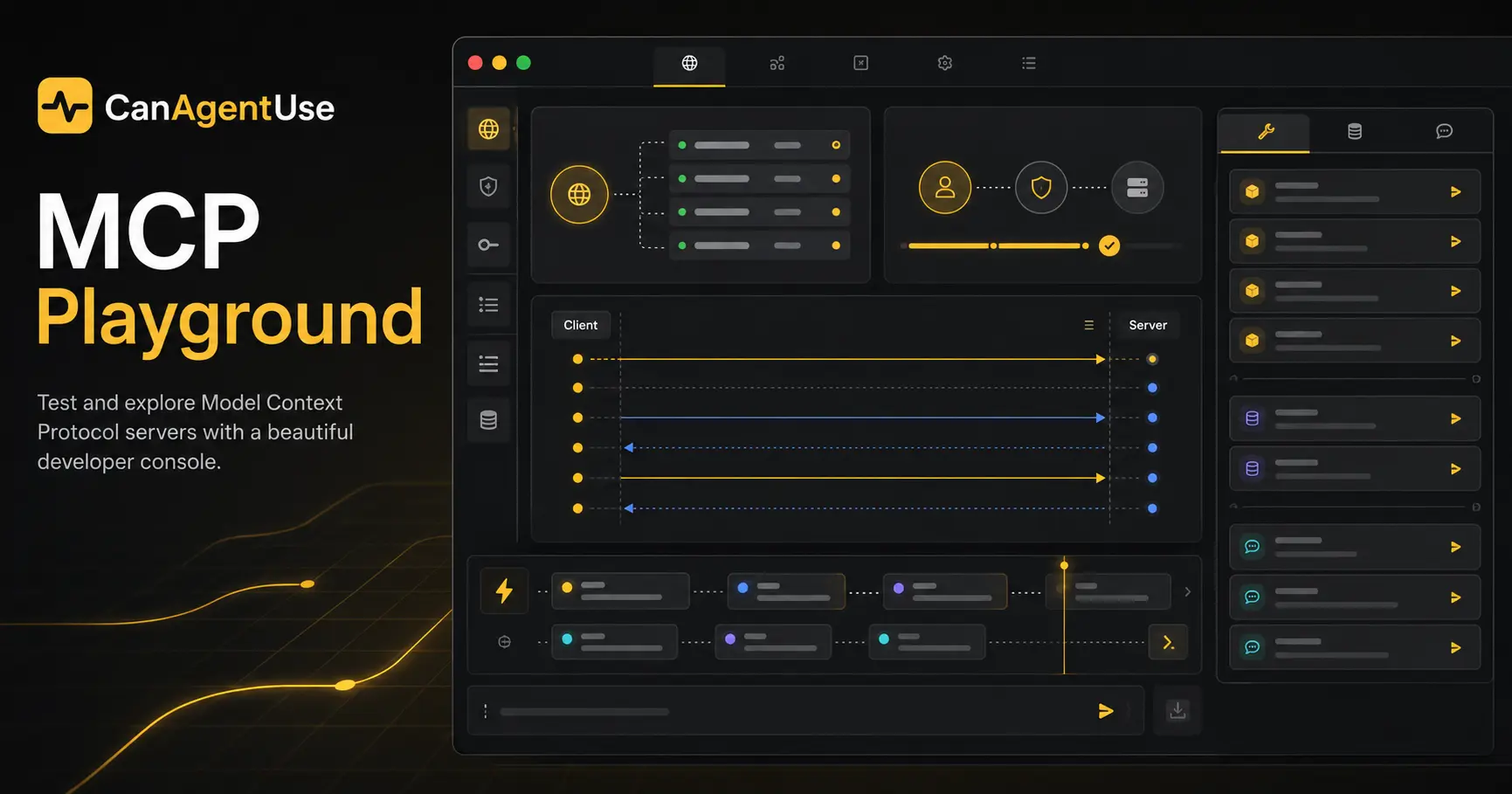
The Model Context Protocol moved quickly from interesting idea to real integration surface. That speed created a small mess for teams shipping MCP servers: the server may work in one client, fail in another, require OAuth in production, expose stale tool schemas, or hide the exact JSON-RPC error that explains everything.
CanAgentUse now has an MCP Playground for that middle space between "we have an endpoint" and "we are ready to connect this to an agent people rely on." It is a browser workbench for remote MCP servers. Paste a website, a direct MCP endpoint, or metadata. The playground tries discovery, connects over Streamable HTTP or SSE, lists the server primitives, and gives you a console for the calls you want to test.
The playground is manual by design. It does not behave like an autonomous agent, and it does not call tools during discovery. You choose the endpoint, inspect what the server exposes, then run the operation you want to debug.
CanAgentUse MCP Playground is a free browser tool for discovering and testing remote Model Context Protocol servers. It supports Streamable HTTP, SSE, OAuth, bearer tokens, custom headers, tool calls, resource reads, prompt fetching, JSON-RPC debugging, and event timelines.
Why we built it
Most MCP demos are clean because the server and the client are controlled by the same person. Real deployments are less polite. A hosted MCP server sits behind redirects, auth, headers, version negotiation, timeouts, transport choices, and sometimes a metadata file that does not match the runtime server.
Developers needed a place to answer basic questions without writing a throwaway client every time:
| Question | What the playground shows |
|---|---|
| Can a client find the server? | Discovery candidates, metadata, and selected endpoint |
| Does initialization work? | Protocol version, transport, session details, and errors |
| What does the server expose right now? | Tools, resources, resource templates, prompts, and capabilities |
| Can I call one operation safely? | Editable request body, generated form, raw JSON, response, and latency |
| Why did auth fail? | OAuth flow state, bearer headers, custom headers, and returned errors |
| What should I hand to another engineer? | Copyable JSON-RPC payloads and timeline evidence |
The product bias is practical. MCP is useful because it gives agents a stable way to use tools. But before the agent gets involved, a human should be able to see what the server claims, what it actually lists, and how it responds under production-like conditions.
What MCP Playground can do
Start with a URL. The playground can accept a website URL, a direct MCP endpoint, or pasted server metadata. In discovery mode, it checks common MCP metadata and server-card locations, then presents candidate endpoints before connection.
Once connected, it runs safe list operations. If the server advertises tools, resources, templates, or prompts, the playground lists them. It does not call tools automatically. That distinction matters because tool calls may create tickets, send messages, update data, or trigger other writes.
The workbench supports:
| Area | Feature |
|---|---|
| Discovery | Website URL, endpoint URL, server metadata, common MCP paths |
| Transport | Streamable HTTP and SSE for hosted remote servers |
| Auth | OAuth flow, bearer tokens, custom headers, and per-session state |
| Inventory | Tools, resources, resource templates, prompts, capabilities, server info |
| Operations | Tool calls, resource reads, prompt requests, ping, raw JSON-RPC |
| Debugging | Request and response JSON, latency, errors, notifications, timeline events |
| Forms | Schema-aware inputs when possible, raw JSON fallback always |
It also helps with the boring parts that usually cost the most time: confirming which protocol version was negotiated, seeing whether a server returns useful schemas, copying the exact request that failed, and checking whether an OAuth-protected endpoint can recover after consent.
Use cases
Use it before launch if you are shipping a hosted MCP server. Run discovery from the public website, connect to the remote endpoint, and verify that the primitives listed at runtime match the docs you plan to publish.
Use it during QA when an MCP client reports an unhelpful error. The playground gives you the request, response, headers, status, latency, and JSON-RPC error in one place. That is often enough to separate a schema problem from an auth problem or a transport problem.
Use it for security review. A reviewer can inspect which tools exist, what arguments they accept, whether dangerous operations are named clearly, whether auth is required, and whether the server leaks sensitive values in responses or metadata.
Use it during customer onboarding. If a customer says their MCP server is ready, ask them to run a session and share the sanitized evidence. It is much easier to debug a timeline than a screenshot of a client that simply says "failed."
Limits and safety boundaries
The MCP Playground is not a full conformance test. It is a developer workbench for practical remote-server debugging. A server can pass a playground session and still have edge cases the tool did not exercise.
The first version focuses on hosted remote endpoints. It does not support local stdio servers. That is intentional. Browser-based testing needs a server-side proxy for remote HTTP-style connections, while local stdio support would require a different trust and runtime model.
The playground also blocks private and internal network targets. It will not use your browser cookies, logged-in sessions, or local network access to reach a hidden service. Auth headers and tokens stay tied to the current testing session rather than becoming permanent backend records.
Most important: the playground will not secretly run tools for you. Tool calls happen only when you click the action and send the request. If a tool mutates real data, the target server is still real. Test with staging credentials when a tool can create, update, delete, purchase, message, or notify.
Cost
The MCP Playground is free to use on CanAgentUse. There is no per-call CanAgentUse charge for opening the tool, discovering a server, or running a manual test session.
The remote server may still have its own costs. A tool call can trigger usage on the target MCP server, an upstream API, a database, a payment provider, a ticketing system, or an LLM service behind the server. If you connect with production credentials, treat each manual call like a real client request.
For teams using the playground as part of a readiness workflow, the cost is mostly operational: time spent reviewing schemas, tightening auth, improving tool names, and fixing endpoints before agents depend on them.
How it fits with CanAgentUse
The scanner checks whether a site exposes agent-readable signals. The MCP Playground goes one layer deeper for MCP: it lets you interact with the actual server. That makes it useful beside MCP discovery guidance, OpenAPI to MCP planning, and our AI agent protocol adoption research.
Publication is not the same as usability. A metadata file can exist while the runtime server fails initialization. A tool can appear in documentation while tools/list returns a different schema. The playground gives teams a way to check the working surface, not just the promise.
FAQ
What is MCP Playground?
MCP Playground is a browser tool for testing remote Model Context Protocol servers. It discovers endpoints, connects over Streamable HTTP or SSE, lists server primitives, and lets developers manually test MCP operations.
Does MCP Playground support stdio servers?
No. The current playground is for hosted remote MCP endpoints. Local stdio support is outside the first version because it needs a different local runtime and trust model.
Does the playground call tools automatically?
No. It may run safe list operations after initialization, but tool calls, resource reads, prompt requests, and raw JSON-RPC operations require an explicit user action.
Is MCP Playground free?
Yes. CanAgentUse does not charge for using the playground. The target MCP server or upstream systems may still charge for the requests you choose to send.
Share